

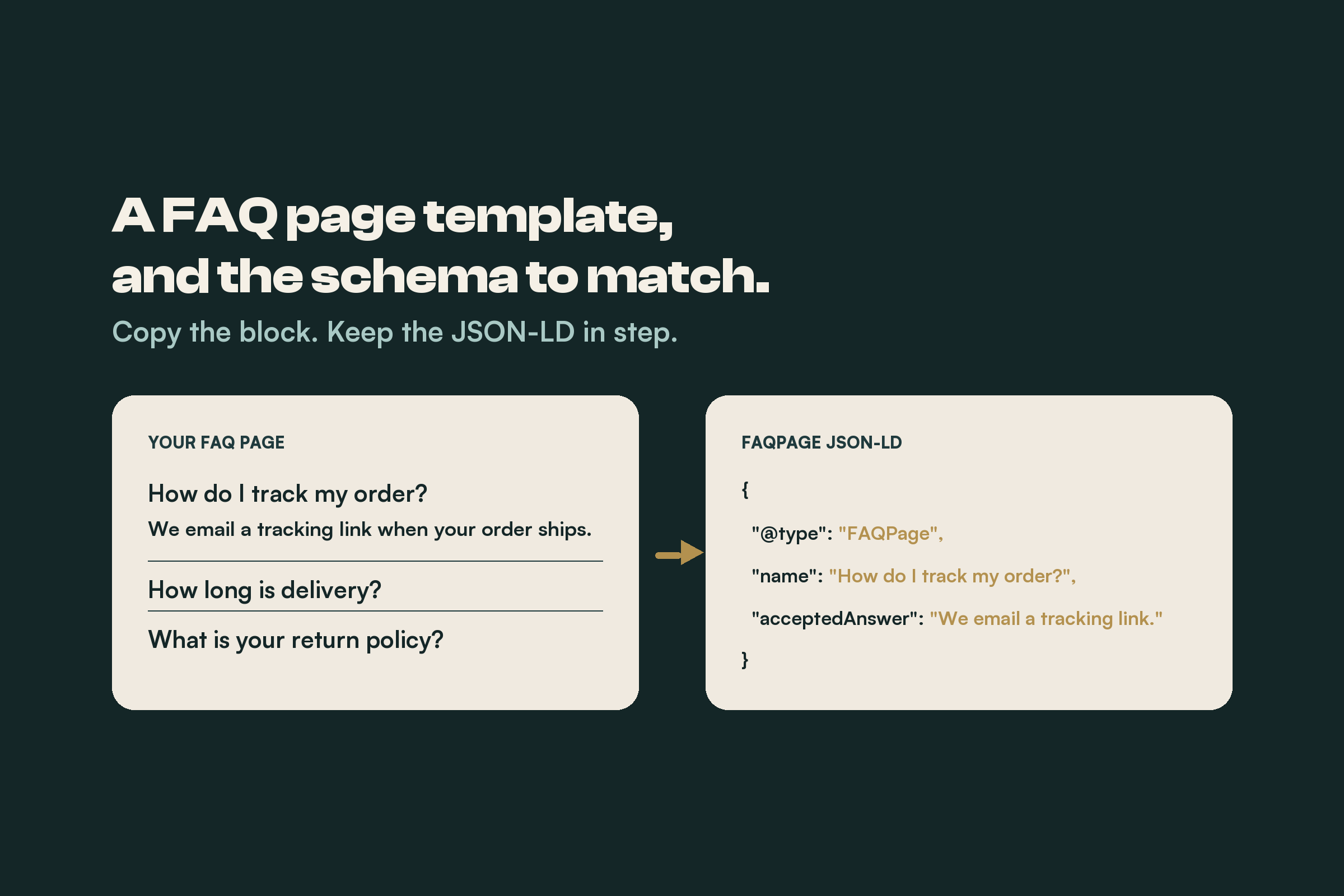
A Shopify FAQ page template is two things that have to line up: the questions and answers a shopper reads on the page, and the FAQPage data behind them that Google and AI tools read. Here's the block to copy, the questions to put in it, and the schema that has to match.
What should a Shopify FAQ page template include?
A Shopify FAQ page is a page of its own, not a section on your product pages. You add it under Online Store → Pages, then fill it with questions grouped the way shoppers expect them: orders, shipping, returns, payment, sizing and support.
The layout is a stack of collapsible rows. Each question opens to reveal its answer, so a long list stays scannable. Shopify themes call this section Collapsible content, and you add it in the theme editor.
The last piece is the FAQPage data behind the page: the same questions and answers in a form Google and AI tools can read. That comes further down.
Then add the page to your menu, usually the footer.
Copy-paste Shopify FAQ page template
Swap the five questions and answers for yours. The <details> and <summary> markup is what makes each row collapse.
What questions belong on the FAQ page?
Every store gets the same handful of questions, and they don't change from product to product. That's why they go on the page:
- Orders and tracking: where's my order, can I change or cancel it, what if I didn't get a confirmation.
- Shipping: how long it takes, what it costs, whether you ship to my country.
- Returns: the window, how to start one, when the refund arrives.
- Payment: which methods you accept, whether checkout is secure.
- Sizing: how to pick a size, with a link to your size chart.
- Support: how to reach you, and how quickly you reply.
What questions belong on each product page?
Product questions change from item to item, and they're where most templates fall down. The easy move is to list specs — material, dimensions, care. The questions that decide a purchase are harder: how it fits, what it feels like, whether it'll last. Those are the ones a spec table can't answer and a description can.
Write them the way a shopper asks, and answer them from your product data:
- Fit and sizing: Is it true to size? Does it run small or large? What if I'm between sizes? Does the fabric stretch or shrink? Answers come from: A fit note, measurements, fabric blend.
- Suitability: Is this right for [use case]? Who is it for, and who isn't it for? Answers come from: Who it's for, skill level, stated uses.
- Materials: What is it made of? Is it safe for sensitive skin? Answers come from: Composition, certifications.
- Durability: Will it hold up to daily use? How long will it last? Answers come from: Build quality, stated resilience.
- Care and use: How do I clean it? Is it machine washable? How do I store it? Answers come from: Care and storage instructions.
- Compatibility: Will it work with [X]? Will it fit my [space or device]? Answers come from: Compatibility notes, dimensions.
- Setup: How hard is it to install? Do I need special tools? Answers come from: Setup instructions, tools.
- What's included: What's in the box? Are the accessories extra? Answers come from: The contents list.
- Comparison: What's the difference between this and [the other model]? Answers come from: How the description tells them apart.
- Limits: How long does the battery last? Is it waterproof? Answers come from: The specs you've stated.
- Feel and scent: What does it feel like? Does it have a scent? Answers come from: Texture and scent prose.
- Gifting: Is it gift-ready? What age is it for? Answers come from: Gifting notes, age statements.
Writing these for every product, and keeping them in step with the schema, is where it stops scaling by hand. FAQ Ninja writes the questions from your product data, leaves out the ones it can't answer, and emits the matching schema in the same pass.
How do you match the FAQ schema to the page?
The schema is a FAQPage block of JSON-LD in the page head. It holds the same questions and answers a shopper reads, written so Google and AI tools can parse them.
The rest of your questions follow the same shape.
Two rules make the pair hold. The name is the question, word for word as it appears on the page. The text is the answer with the links and formatting stripped back to plain words. When the visible text and the schema disagree, the schema is the one that's wrong, and the page loses the thing the markup was for.
One FAQPage block per page. If your theme or another app already emits one, adding a second doesn't help. Check the rendered page source, not your theme files.
FAQ schema doesn't earn a rich result in Google any more. What it still does, and how to check yours is valid, is in our FAQ schema post.
How do you add the FAQ page in Shopify?
Four steps:
- Create the page. Online Store → Pages → Add page. Title it FAQ, and leave it Visible.
- Give it a template. From Pages, click Create template, name it FAQ, and base it on your default page.
- Add the questions. Paste the HTML block from above into the page content. Or open the theme editor on the new template and add the Collapsible content section, one row per question.
- Add it to your menu. Online Store → Navigation, then add the page to your footer or main menu.
Save, and the page is live.
What it looks like on a product page
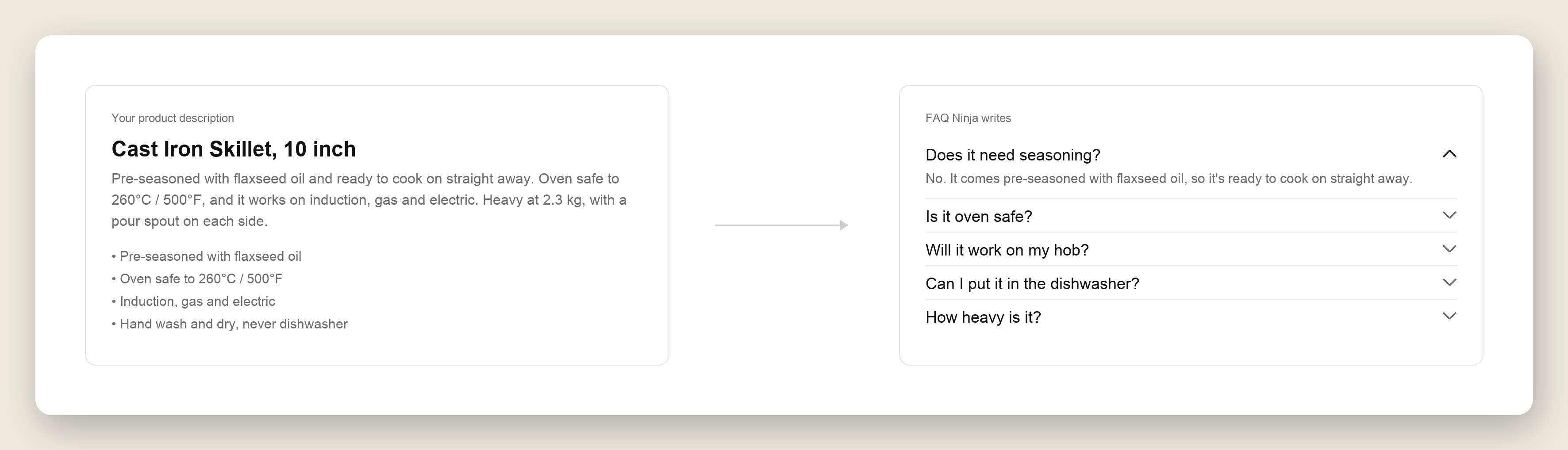
On a demo store, FAQ Ninja writes the questions from the product data and renders them on the page. The shopper sees a collapsible FAQ:
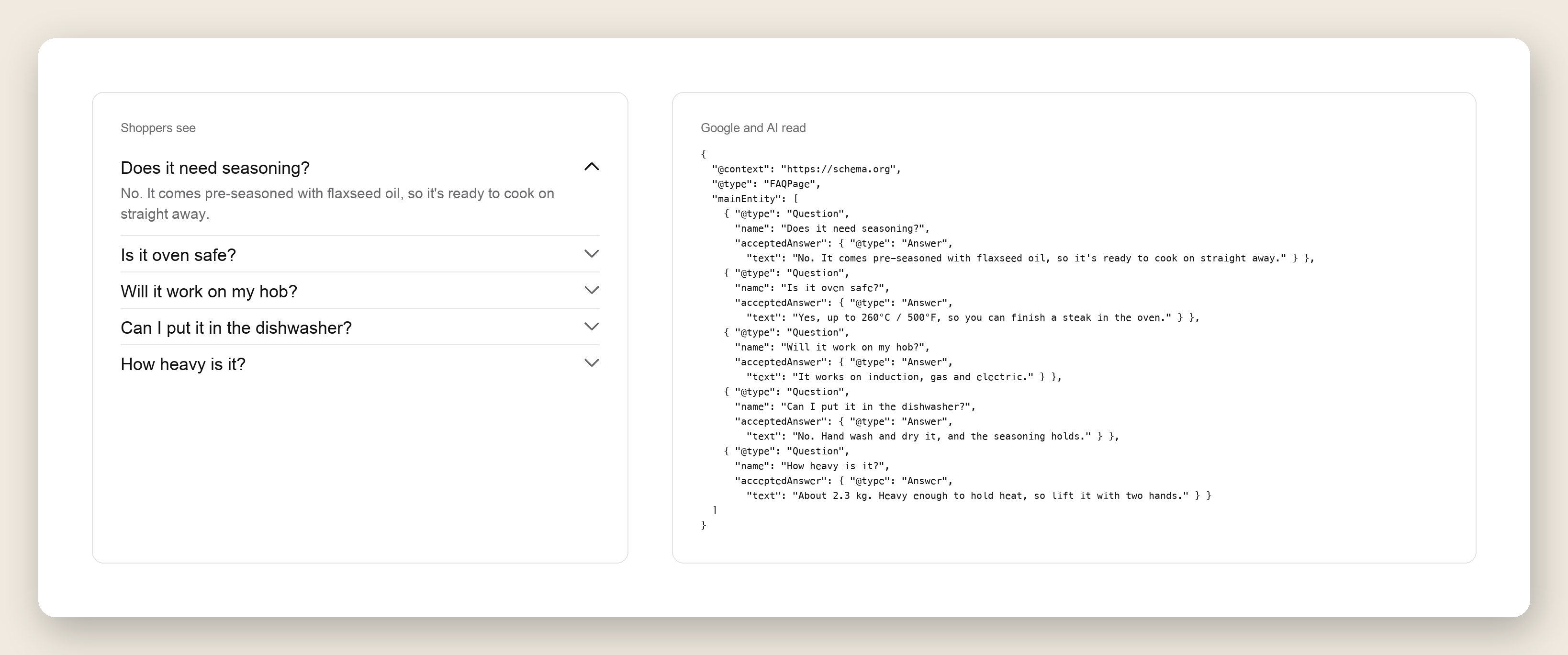
Behind the page sit the same questions and answers as FAQPage JSON-LD, written from the same source, so the visible text and the structured version can't drift apart:
the cheap traffic on repoint the redirect posts and the product page's Guides section at the FAQ app (03 - Update the Schema Ninja Website Product Page leftovers). One redirect post earns 8,
Sample output, generated by FAQ Ninja on a demo store. See what FAQ Ninja does.
Frequently asked questions
Do I need an app to add an FAQ page to Shopify?
No. The block above is enough for one page. An app earns its place once you're writing product questions across a catalog and keeping the schema in step with them.
Does an FAQ page need FAQ schema?
Not to work for shoppers, but the schema is what makes your questions readable to Google and AI tools. Keep the visible text and the schema saying the same thing.
How many questions should an FAQ page have?
As many as shoppers actually ask, grouped so they're scannable. Six to ten on the page is plenty; the product pages carry the rest.
Where should the FAQ page live in my store?
On its own page, linked from your footer, and usually the main menu too. It shouldn't be a section buried on the homepage.
Can I put FAQs on product pages as well as the FAQ page?
Yes, and it's usually worth it. The page answers the store-wide questions; product pages answer the ones that change per item. Same markup, same schema rules.
Getting started
If you want the FAQs without building and maintaining the markup yourself, FAQ Ninja writes the questions from your product data, renders them on the page, and emits the FAQPage JSON-LD in the same pass, so the visible answer and the structured one stay matched.