


Introducing the Damage Report
Every 404 Google left out of your export, finally in one place.
If you've ever tried to fix your own broken links, you know the moment. You open Google Search Console, export your 404s, and the file stops at 1,000 rows. You look at it and think: wait, where's the rest?
A migration or a big restructure breaks way more than 1,000 URLs. Google still holds 16 months of traffic history for your old pages, and Search Console just won't show them all.
So the hidden URLs keep doing what they always did. They still get clicks. People still tap the old product links from Google, from old ads, from that blog post you wrote three years ago. Every one of those clicks lands on a 404 and leaves. And you never see it happen.
So we built a feature for exactly this, called the Damage Report.
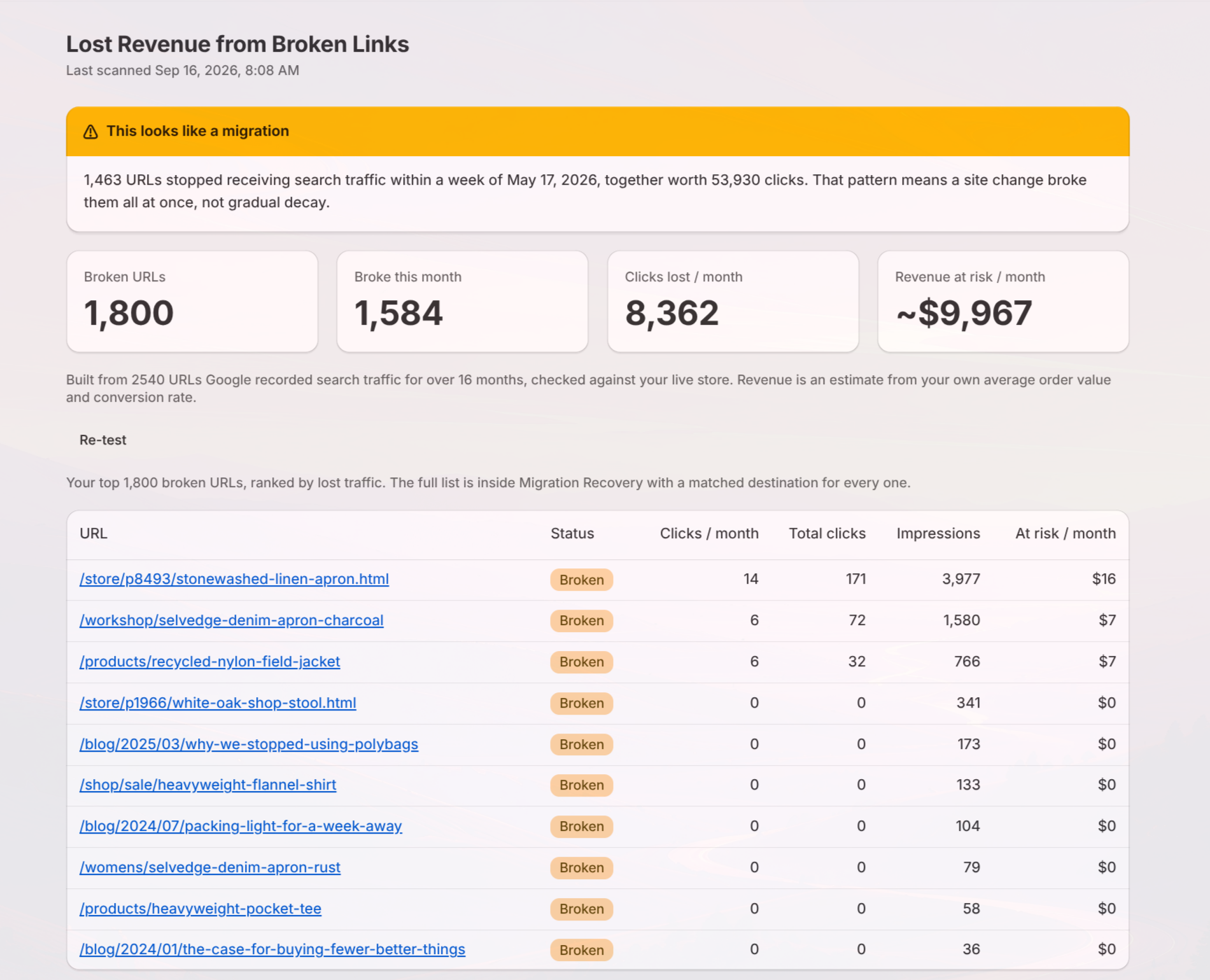
The Damage Report shows you the whole list
Connect your Google Search Console to Redirect Ninja. Read only. We read the full 16 months of history, past the 1,000, all of it.
Then every broken URL gets ranked by what it's actually earning you:
- Clicks and impressions per month, so you see the real traffic you're losing
- Revenue at risk, figured from your average order value and conversion rate. You type in your numbers, it does the math.
The report is free to run.
There's a fix too, and it's the part nobody enjoys: matching hundreds of old URLs to the right pages. Migration Recovery reads every broken URL, checks it against your live store, and finds where each one should go. You set how confident a match has to be before it applies on its own, review anything below that line, and apply the whole batch at once. One click undoes it if something looks wrong.
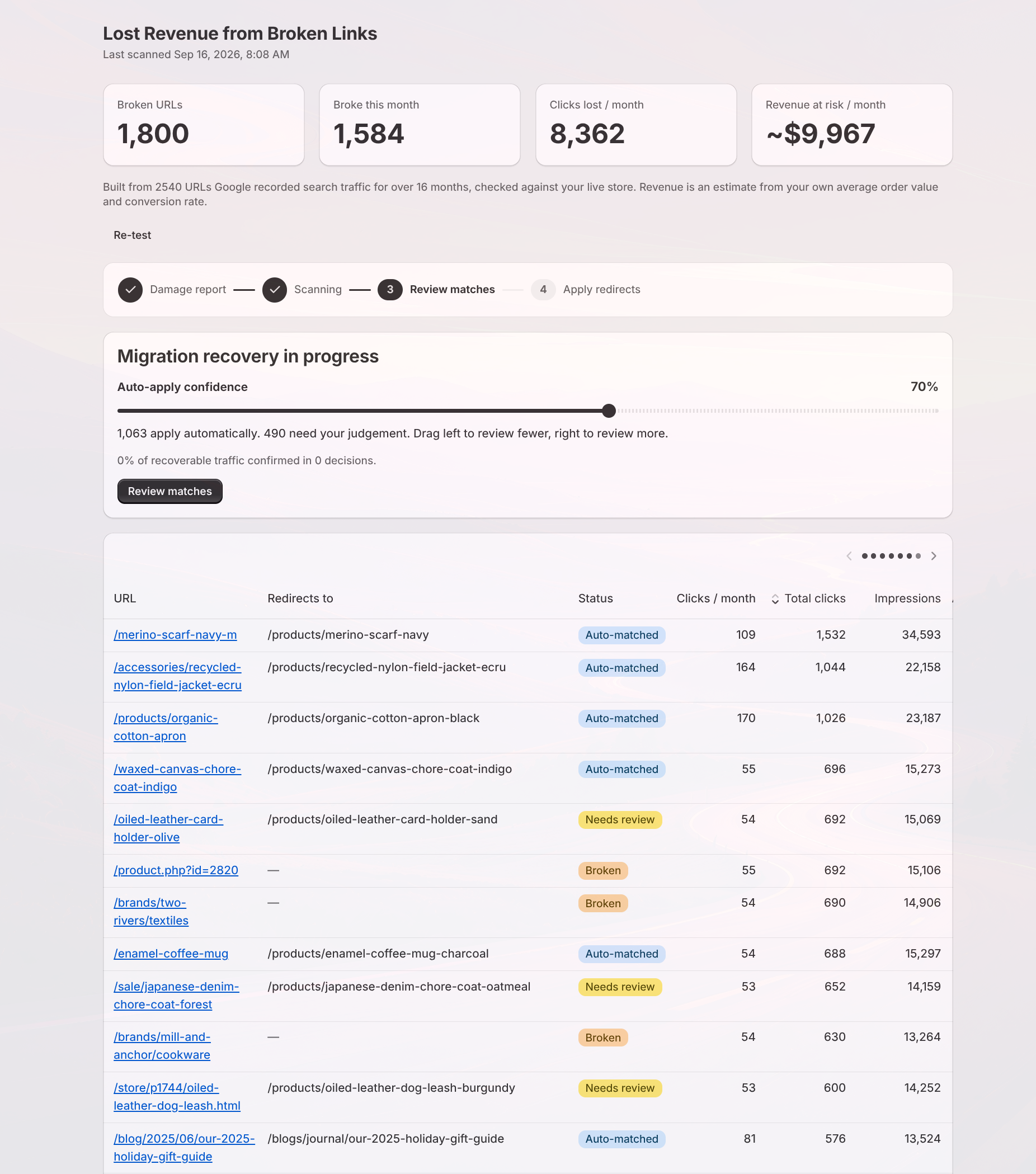
See what your migration cost you
The report runs on your own Search Console history. Connect it and you'll have your numbers in a few minutes. For the full offer, including the fix, see Migration Recovery.